How to Use Audience Insights for Content Creation
Step-by-step: from question to published content. The process takes 15 minutes to set up and one hour of reading per cycle.
AskEveryone
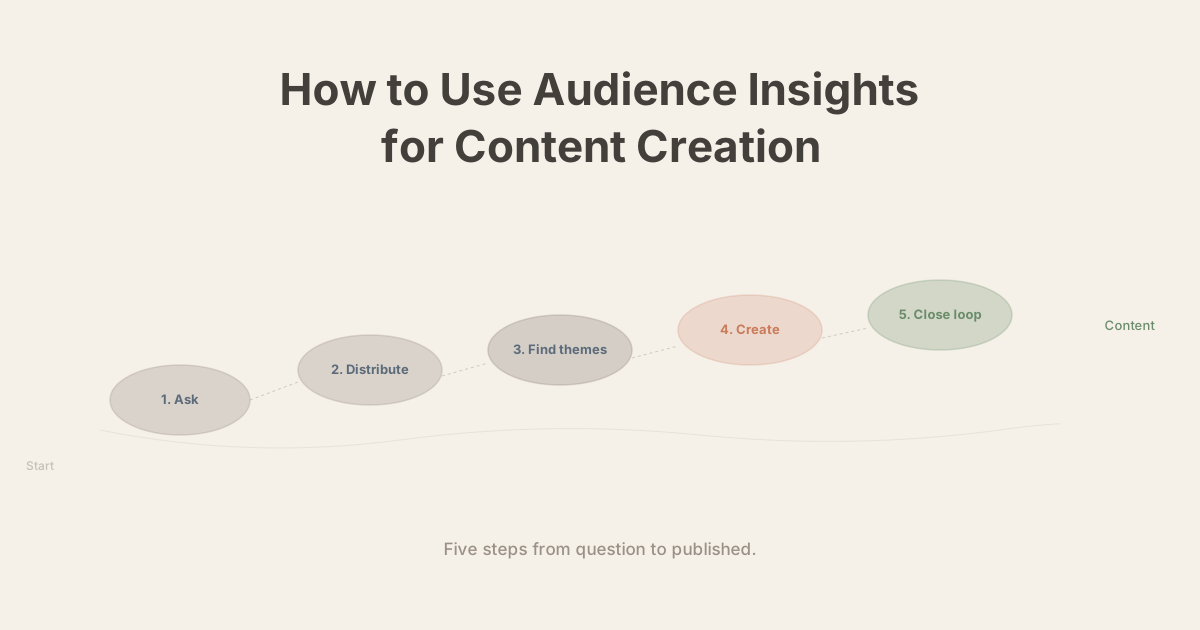
This is a practical guide. No theory about why audience feedback matters — that's covered elsewhere. This is the step-by-step process from question to published content, with concrete examples for podcasters, YouTubers, and newsletter writers.
Budget: fifteen minutes of setup, one hour of reading per cycle. The content ideas you get out are better than anything you'll generate in a brainstorm session alone.
Step 1: Choose your question
The question you ask shapes everything downstream. A question about satisfaction gives you evaluation data. A question about gaps gives you content ideas. A question about current struggles gives you tutorial material. Know which you need before you write the question.
For content generation, three types tend to work best:
Gap questions — what's missing:
"What topic in [your niche] does nobody explain well?"
"What have you been trying to figure out that you can't find a good answer to?"
Problem questions — what's hard right now:
"What are you struggling with most in [topic area]?"
"What's the part of [topic] that still confuses you?"
Disagreement questions — where do they push back:
"What do you think I get wrong?"
"What's a popular opinion in [your niche] that you don't agree with?"
Pick one. Write it clearly. One sentence, answerable in thirty seconds, no context required.
Step 2: Distribute and collect
Where you ask depends on where your audience already is.
Newsletter writers — Embed the question directly in the email body. Not a link to a separate form. One or two sentences of context, then the question, then a button or link that opens a simple response form. Mid-newsletter placement outperforms the end.
Podcasters — Mention it verbally in the episode and include the link in show notes. The verbal mention is important — it gives context the cold link can't. Keep the ask brief: "I'm curious what you think about X — there's a link in the show notes if you want to weigh in."
YouTubers — Pinned comment with the question and response link, plus a natural-feeling mention in the video if it fits. Community tab post works for larger channels.
All formats — Make responses anonymous. A free Google Form with a single text field and no sign-in requirement does the job. Anonymity consistently increases both volume and honesty.
Give it a week. More isn't usually necessary — most responses arrive in the first 48 hours.
Step 3: Find the themes
With twenty to thirty responses, read everything in one sitting. With hundreds, you'll need a synthesis approach.
Manual (under 100 responses) — Read through once without stopping. Note recurring phrases or ideas on a separate document as you go — don't try to categorize while reading, just flag what repeats. After reading, group the flagged items by similarity. Count the groups. The two or three largest groups are your themes.
With a tool (100+ responses) — Synthesis tools cluster responses automatically and surface representative quotes for each theme. The output is the same shape as the manual process — a ranked list of what your audience mentioned most — but without the hours of reading.
Either way, you're looking for three things: what came up most (highest demand), what was most surprising (unexpected gap), and what was most specific (already a brief for a piece).
Step 4: Map themes to content formats
Each theme becomes a piece, but not all themes fit the same format.
| Theme type | Best content format |
|---|---|
| A recurring confusion or misconception | Explainer / tutorial |
| A frustration with existing content in your niche | "The honest guide to X" |
| A process problem ("I never know how to...") | Step-by-step how-to |
| A disagreement with common advice | Opinion / counter-take |
| A personal story pattern ("I once tried X and...") | Case study / interview |
| A gap in available resources | Comprehensive resource piece |
For each theme you act on, use the language your audience used — not your vocabulary, theirs. The phrase they used to describe their confusion is usually closer to what they'd type into a search engine than the way you'd naturally frame the same topic.
Step 5: Close the loop
Publish the content. Then tell your audience where it came from.
This doesn't need to be elaborate:
- "You told me this was confusing, so I wanted to address it directly."
- "Last month I asked what topics were missing — this piece came from what you shared."
- "I asked you what you were struggling with, and I heard this theme repeatedly."
Closing the loop does two things: it validates the people who responded (their input changed something), and it signals to everyone who didn't respond this time that the feedback loop is real. Both effects increase response rates in the next cycle.
The compound effect
The compound effect is slow at first, then significant. By the fifth or sixth cycle, response volume is usually higher than cycle one, response quality is better, and the content ideas you're extracting are more specific and more accurate.
The audience has learned that it's worth answering. You've learned what to ask.
That's the whole loop. Fifteen minutes of setup, an hour of reading, content direction built on what your audience actually told you. Run it once a month for six months and you'll have a different relationship with your work than the one you have now.
Tags


Want insights like this for your audience?
Set it on autopilot. One question a week, every response analyzed into insights you can actually use.
Start free — no credit card